Compose View
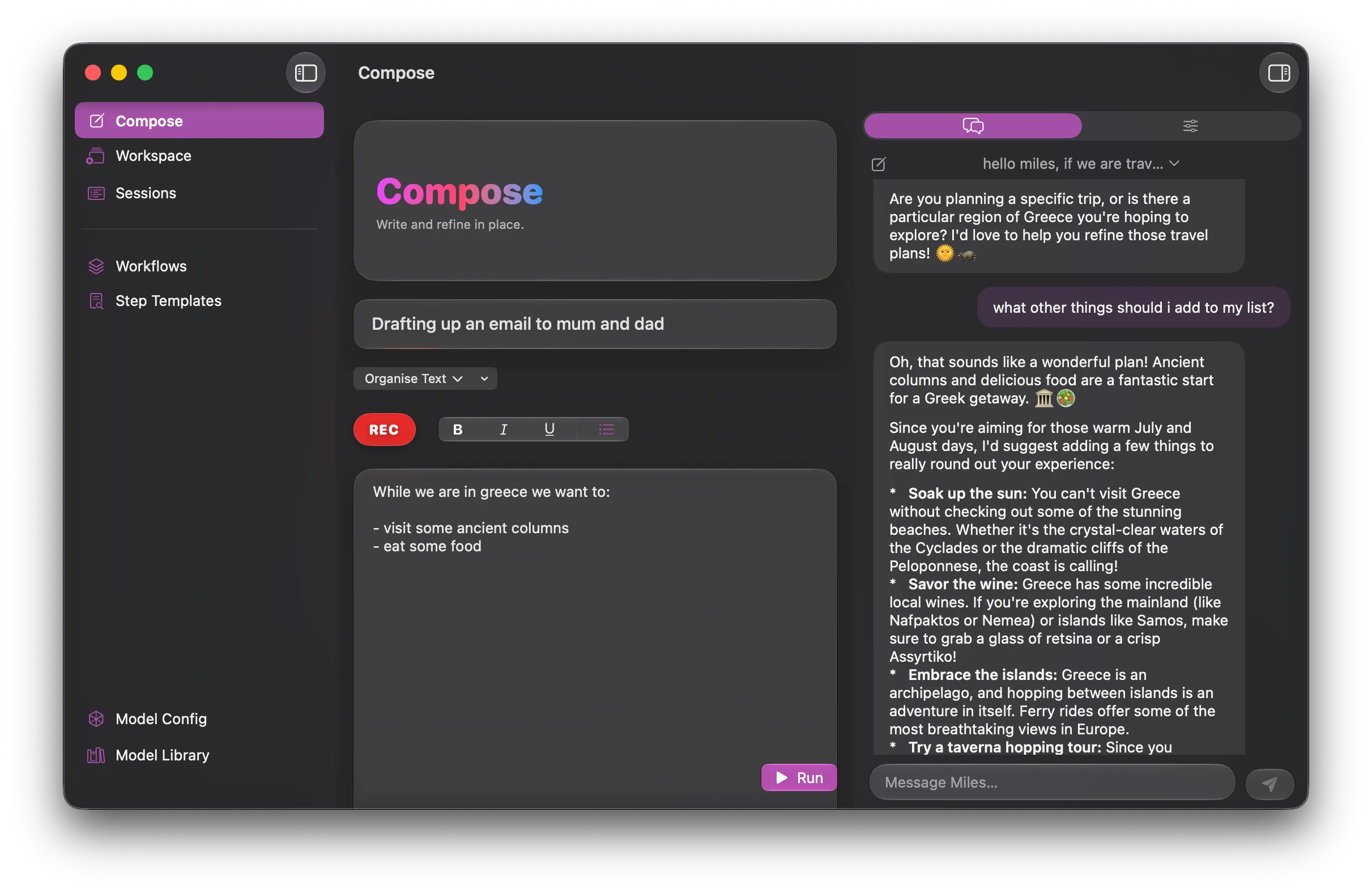
The compose view allows you to generate text, either directly in the app or via the REC button. You can then run a built in or custom workflow over that text.
Simple text editor
Section titled “Simple text editor”Compose is a very simple text editor, get help with your drafts as you go.
Use cases for the compose view:
- Drafting emails live from your voice or text.
- Reformatting text from another app, paste it in and apply the workflows to it.
- Changing the tone of a message.
While this is very similar to the workflow capability this is more of an ‘on the fly’ model. Very useful for cleaning up text as you go.
Further, the built-in workflows that apply to this page will interpret user request in the text.
So consider this input:
we have closed the school for the break. weve cleaned offices, classrooms, bathrooms, kitchens but still need to clean up the sports fields, car parks and art center.
Next friday the football teams will be having a party so we need to find out what they need, how many are coming and what time the different events start.
clean this up and make bullet lists where appropriate.
The output this created, when running the organise text workflow against that text:
- We have closed the school for the break.- Offices, classrooms, bathrooms, and kitchens have been cleaned.- Remaining areas to clean include the sports fields, car parks, and art center.
Next Friday:- The football teams will be having a party.- We need to find out what they need.- We should determine how many are coming.- We must establish the start times for different events.Chat pane
Section titled “Chat pane”If you expand the right hand view you will be met with a realtime chat pane. This is functionally similar to how the chatbots you are used to work, with one important difference.
Tanuki will keep the history of your full chats locally, which means you can ask questions like ‘last year what movies did we say we wanted to see’. Tanuki will then scan your full chat history, reporting back what had been said in the past.
Read more about the chat functionality here.